Flag any spot
Hover any message, even a single section of a long answer, and click “Add flag”. Or select some text to flag that exact line.
ChatFlag lets you flag any answer in ChatGPT or Claude and jump straight back to it in one click, even 500 messages later.
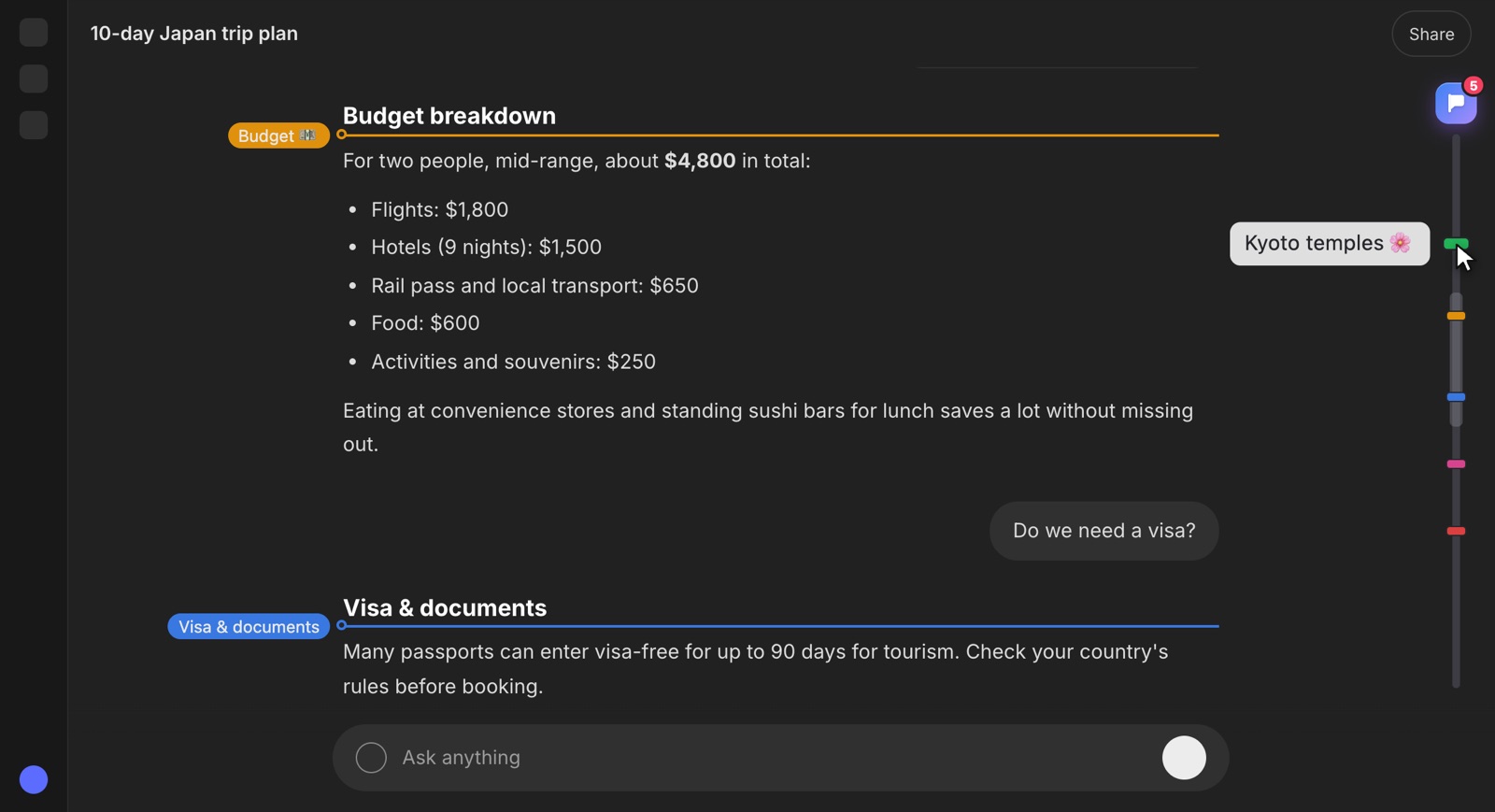
Scrolling up… and up… through 200 messages, trying to find that one perfect answer. Then losing your spot again.
Flag it once. Every flag sits on a rail at the edge of the chat. Click it and you're right back, in under a second.
Small, fast and built right into ChatGPT and Claude. Nothing new to learn.
Hover any message, even a single section of a long answer, and click “Add flag”. Or select some text to flag that exact line.
Your flags appear as colored marks on a rail at the right edge. Hover to see the label, click to land right on it.
Give each flag a short name and a color: “Final SQL query”, “Pricing ideas”, “Bug fix 🐛”. Rename or recolor any time.
Open the flags panel, type a word and press Enter. ChatFlag takes you straight to the match.
Find any flag from any conversation, on ChatGPT and Claude together. Click it to open that chat at the right spot.
Add a flag, jump to the next or previous one, or open the panel, all without touching the mouse.
Back up every flag to one file, or move them to another computer in under a minute. Free on every plan.
Flags are stored only in your browser. No account, no tracking, no servers reading your chats.
ChatGPT and Claude unload old messages as chats grow. ChatFlag still finds your flag and brings it back on screen.
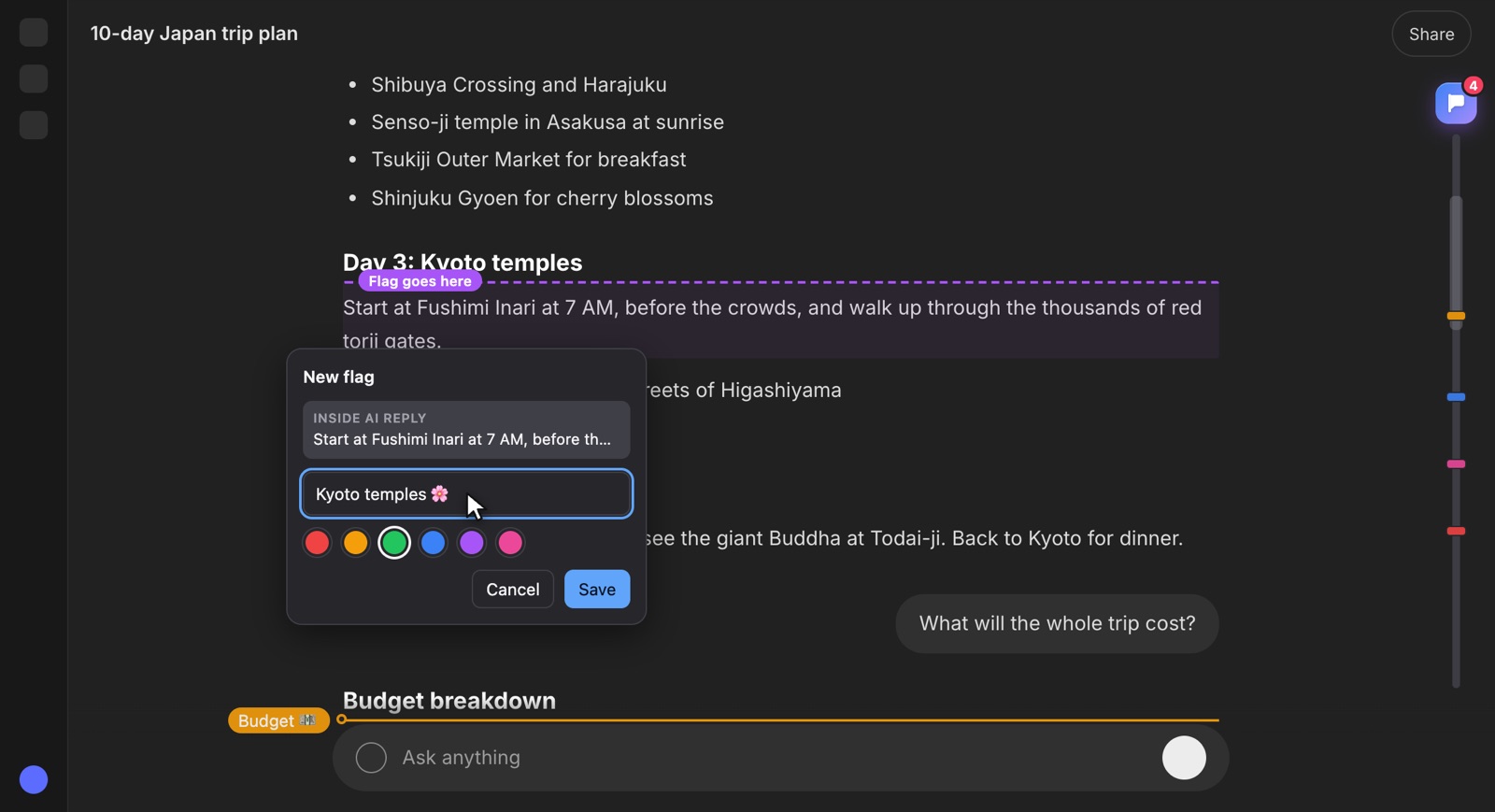
Hover over any part of a reply and a small flag button appears. Name it, pick a color, press Enter. Done in two seconds.
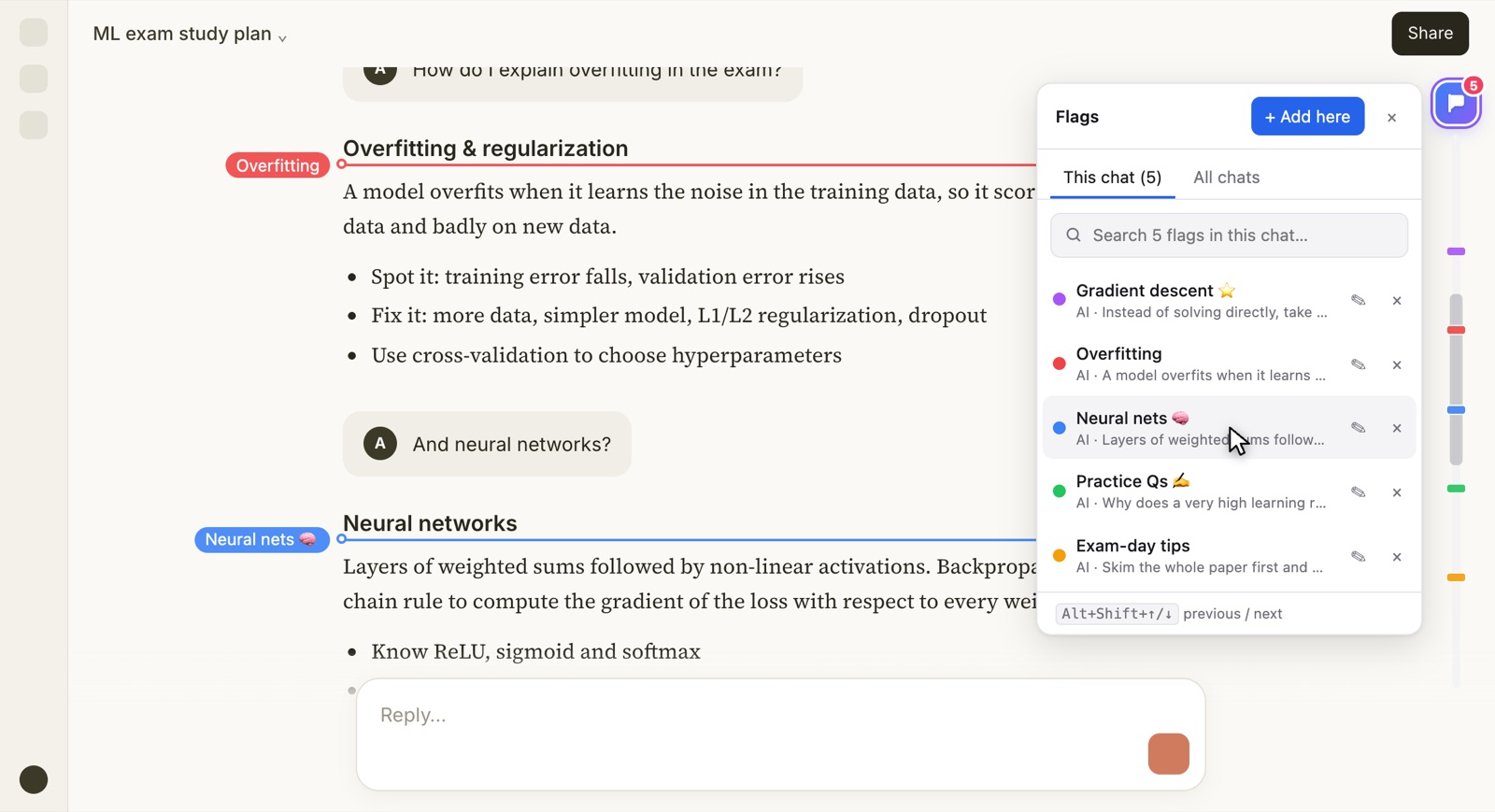
See every flag in the chat, in order. Search them, rename them, recolor them, or delete the ones you're done with.
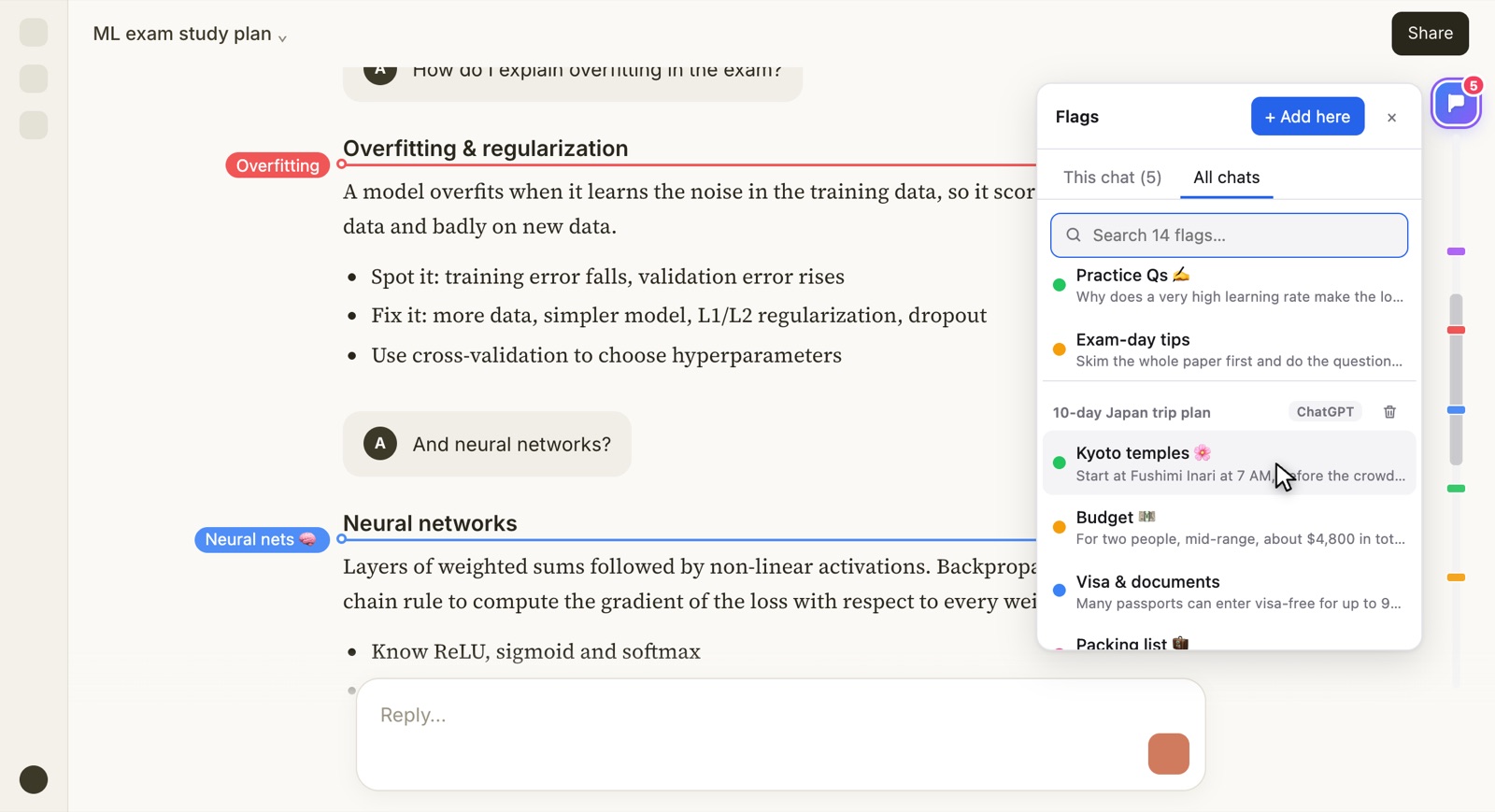
That brilliant answer from last month? Search “invoice” or “SQL” and see every matching flag from every conversation. Click one and ChatFlag opens that chat at the exact spot.
No account, no setup. Install it and open a chat.
One click from the Chrome Web Store. Works in Chrome, Microsoft Edge and Brave.
Open any ChatGPT or Claude chat, hover an answer and click “Add flag”. Give it a name and a color.
Click a flag on the rail, search the panel, or use the shortcuts. You're back in a second.
Keep the working fix, the final query and the API example one click away.
Flag the explanations you'll revise before the exam: one long chat per subject.
Mark the best headline, the outline you liked and the draft worth keeping.
Bookmark sources, summaries and key findings across many chats, then search them all.
ChatFlag runs entirely in your browser. Your flags, labels and chat titles are saved on your own computer and are never uploaded, sold or seen by anyone, including us.
No subscription. Pay once, and Pro is yours forever, with every future update.
For lighter use. Free forever.
No card, no account.
For people who really use AI chats every day.
Less than a single month of any AI subscription.
7-day money-back guarantee. Not for you? Get a full refund, no questions asked.
ChatGPT (chatgpt.com) and Claude (claude.ai), in Google Chrome, Microsoft Edge and Brave on Windows, macOS, Linux and ChromeOS.
ChatFlag only looks at the chat page to place your flags on the right messages. It saves your flags (their names, colors and a short snippet of the flagged message, so it can find it again) in your browser's own storage on your computer.
Nothing is uploaded. We have no servers that receive your chats or flags, and no analytics. See the privacy policy.
Your existing flags keep working. You can still jump to them, search, rename and delete them. To add a 5th flag in that chat, delete one or upgrade to Pro. Every chat gets its own 4 flags.
Yes. $6 once, no subscription. You get Pro for as long as ChatFlag exists, including all future updates.
You'll get a license key by email right after checkout. In ChatFlag, open Settings → ChatFlag Pro, paste the key and click Activate. Pro turns on immediately, even in chats you already have open.
Yes, on up to 3 of your own devices. Getting a new computer? Click Deactivate on this device in Settings on the old one, then activate the same key on the new one.
Not automatically. That's the price of keeping everything private and local. You can move them any time: Settings → Export JSON on one computer, then Import JSON on the other. It takes about a minute.
These sites update often. If a change ever breaks something, ChatFlag shows a notice instead of failing silently, and a fix ships in an update. Your saved flags are not lost.
Yes. If Pro isn't for you, email us within 7 days of buying for a full refund. See the refund policy.

Never lose a great AI answer again. Free to start, no account needed.